
The top 10 gifts for remote workers under $50 in the USA 2026 combine physical comfort, dependable cable management, and improved desk illumination into practical upgrades that enhance everyday home office routines. Thoughtful gifts solve real physical strain, clear surface clutter, and improve audio or video clarity during virtual meetings without requiring expensive furniture overhauls. Practical accessories focus on durable materials, universal hardware connections, and compact footprints suitable for diverse household workstations.
Choosing the right desk accessory depends on the physical dimensions of the workstation, the primary operating system, and the specific daily friction points experienced during long shifts. Variations in monitor thickness, port availability, and desk surface area determine whether an ergonomic support, lighting tool, or power hub provides the greatest practical utility.
Quntis ScreenLinear Computer Monitor Light Bar
The Quntis ScreenLinear Computer Monitor Light Bar mounts directly on top of computer displays to illuminate the desk surface without casting glare onto the screen. This space-saving design replaces bulky desk lamps, directing balanced light across keyboards, documents, and notepads while preserving open desk space.
Constructed with an asymmetric optical design, the light bar directs illumination downward and forward rather than toward the glass panel. It features adjustable color temperature settings ranging from warm white to cool daylight, alongside step-less brightness touch controls located directly on the housing. Power flows through a standard USB-A connection, allowing the unit to draw energy from a computer port, powered monitor hub, or standard wall adapter.
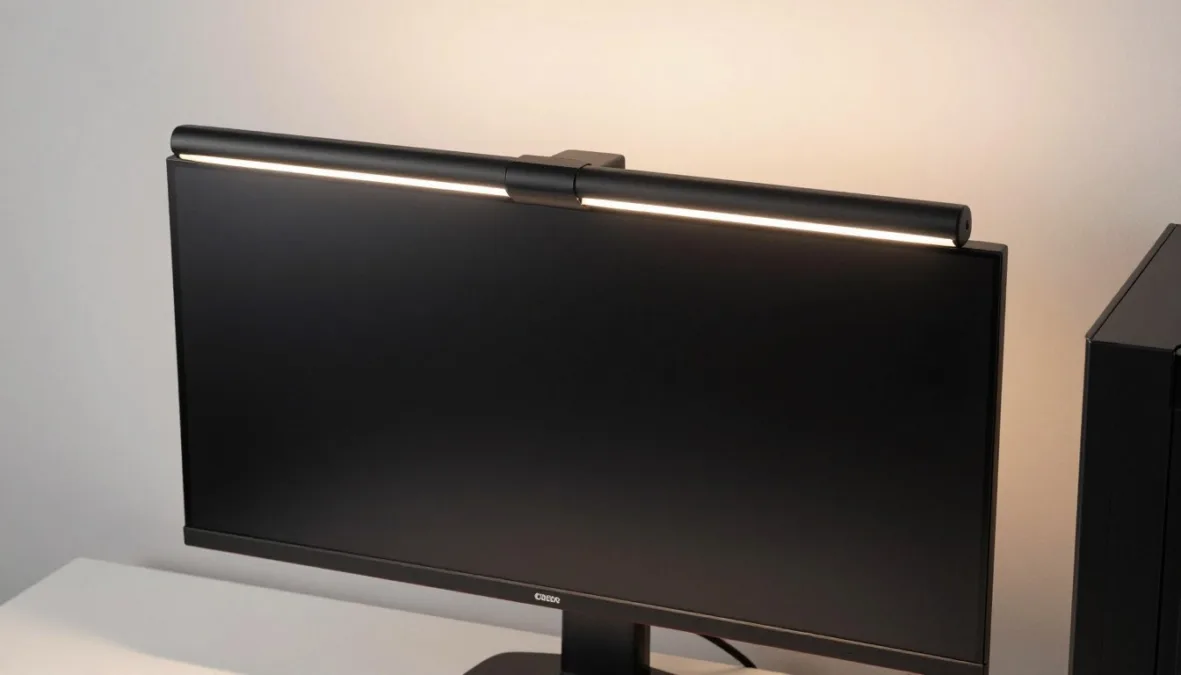
Asymmetric optical lighting directs light downward to prevent screen reflections.
The fixture measures approximately 15.7 inches in length, 0.78 inches in depth, and 0.78 inches in height, with a weighted counterweight clip that rests behind the monitor. It supports flat monitors with bezel thicknesses ranging from 0.6 inches to 1.4 inches. It is best for professionals working in dim rooms or tight cubicles who need focused task lighting without sacrificing precious desktop surface area.
Monitors with pronounced curved backs or ultra-thick structural bezels exceeding 1.4 inches require specialized mounting brackets or alternative freestanding lamps. Laptops and screens with integrated top webcams can experience mechanical interference if the light bar clip covers the lens.
Priced comfortably in the sub-forty-dollar tier, this accessory delivers immediate visual relief during late-afternoon and evening shifts. Shoppers should verify that the recipient possesses an available USB-A power port near the display or an open USB wall plug nearby.
Everlasting Comfort Memory Foam Foot Rest
The Everlasting Comfort Memory Foam Foot Rest provides structured ergonomic support under the desk to promote balanced posture and relieve pressure on the thighs and lower back. Placing feet on an elevated foundation helps maintain a neutral spine angle during extended sitting sessions.
Made from pure memory foam without additive fillers, the cushion responds to body heat and weight to contour gently around the soles. The teardrop curved profile allows users to rest their feet flat across the top surface or flip the unit upside down to create a soothing rocking motion for active foot movement. A non-slip rubberized bottom prevents shifting on hardwood, tile, laminate, and carpeted floors.
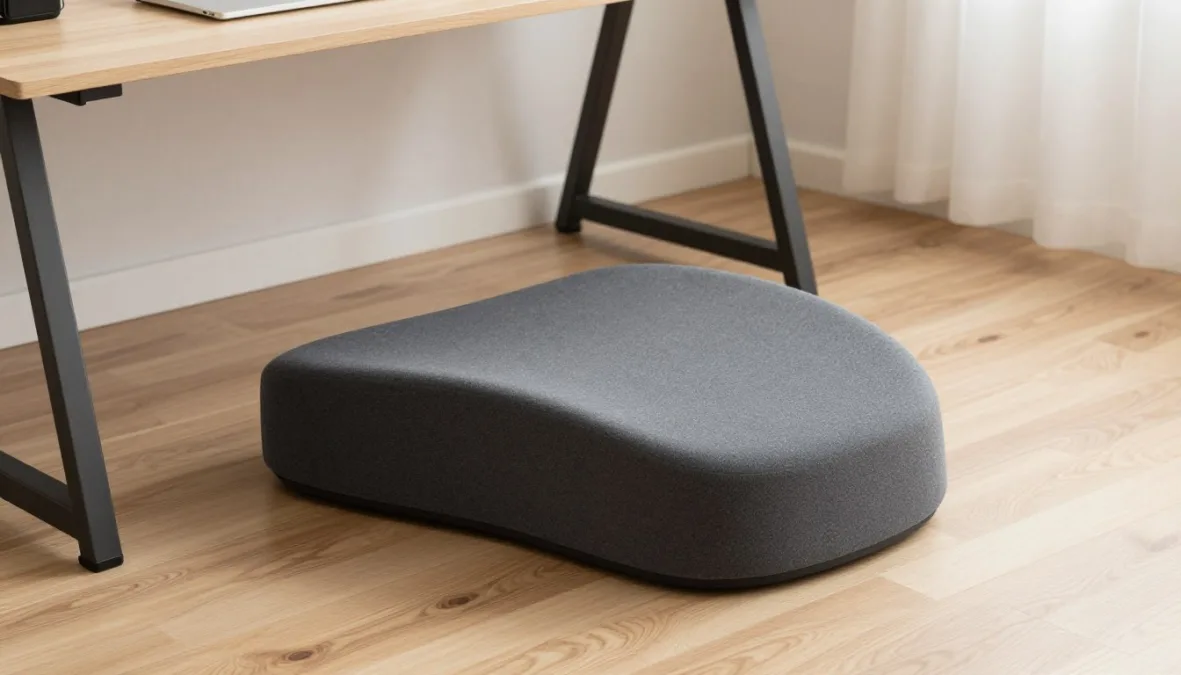
The curved teardrop architecture provides dual utility as a stable footrest or a rocking foot exerciser.
The cushion measures 17 inches in length, 9.5 inches in width, and 4.75 inches in height, making it compact enough to slide beneath standard knee-well openings. It accommodates all desk heights, sit-stand workstations, and standard footwear or bare feet. This gift is ideal for shorter workers whose feet dangle slightly from standard office chairs, as well as anyone experiencing hip stiffness.
Advantages
- High-density memory foam retains structural elasticity without flattening over daily use.
- Removable velvet cover unzips easily for machine washing and routine hygiene.
- Curved underside facilitates gentle rocking motions to promote lower-leg blood circulation.
Limitations
- Fixed 4.75-inch height cannot be adjusted mechanically for taller individuals.
- Desks with shallow knee clearance may cause knees to touch the desktop underside.
Available in the sub-forty-dollar price range, this foot rest offers substantial physical comfort without requiring complex chair adjustments. Verify that the user has at least 18 inches of clear horizontal width beneath their primary work surface.
Anker 511 Charger (Nano 3, 30W)
The Anker 511 Charger (Nano 3, 30W) delivers high-speed charging capability within an ultra-compact Gallium Nitride (GaN) enclosure that easily fits into small travel pouches or crowded power strips. It modernizes the home office by replacing bulky manufacturer charging bricks with a single versatile wall adapter.
Built with PowerIQ 3.0 technology and Programmable Power Supply (PPS) support, the charger automatically optimizes voltage delivery for connected devices. It delivers up to 30 watts of continuous output, providing full-speed charging for modern smartphones, tablets, handheld consoles, and lightweight laptops like the MacBook Air. Foldable AC outlet prongs collapse flush into the body to prevent scratching other electronics during transit.
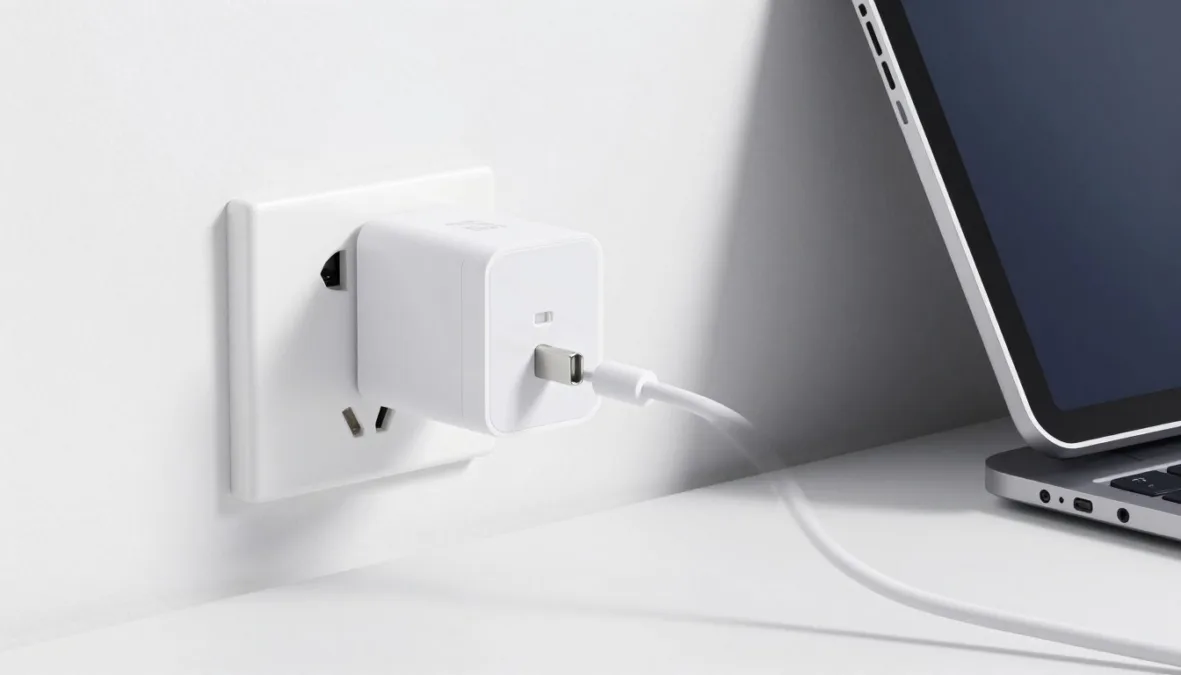
Gallium Nitride architecture provides high-wattage power delivery within a miniature enclosure.
The charger measures approximately 1.12 inches by 1.12 inches by 1.40 inches, making it roughly the size of legacy 5-watt phone plugs. It connects to any standard 100-240V AC wall socket or desktop power extension strip. It is best suited for hybrid remote workers who split their schedules between home offices, coffee shops, and corporate meeting hubs.
- Supports USB Power Delivery 3.0 for broad compatibility with Apple, Samsung, Google, and Lenovo hardware.
- Miniature dimensions prevent blocking adjacent AC receptacles on crowded desk power modules.
- ActiveShield temperature monitoring dynamically checks internal temperatures to prevent thermal throttling.
- Requires a separate USB-C to USB-C or USB-C to Lightning cable based on device needs.
Priced in the sub-twenty-five-dollar category, the Nano 3 represents one of the most practical and reliable tech stocking stuffers for remote professionals. Note that heavier workstations such as 16-inch laptops require larger 65-watt to 100-watt charging systems.
Kensington ErgoSoft Wrist Rest for Standard Mouse
The Kensington ErgoSoft Wrist Rest for Standard Mouse cushions the palm and wrist during precise pointer navigation, redistributing contact stress away from sensitive tendons. It elevates the hand into neutral alignment with the mouse to minimize repetitive strain during long spreadsheets and design tasks.
The interior structure contains an ultra-soft gel padding core wrapped inside a durable, wipe-clean faux leather exterior. Unlike traditional fabric mouse pads that absorb sweat and trap dust, the smooth synthetic surface cleans rapidly with a disinfectant wipe. An integrated non-skid rubber base grips wood, glass, laminate, and composite desktop surfaces securely without sliding.
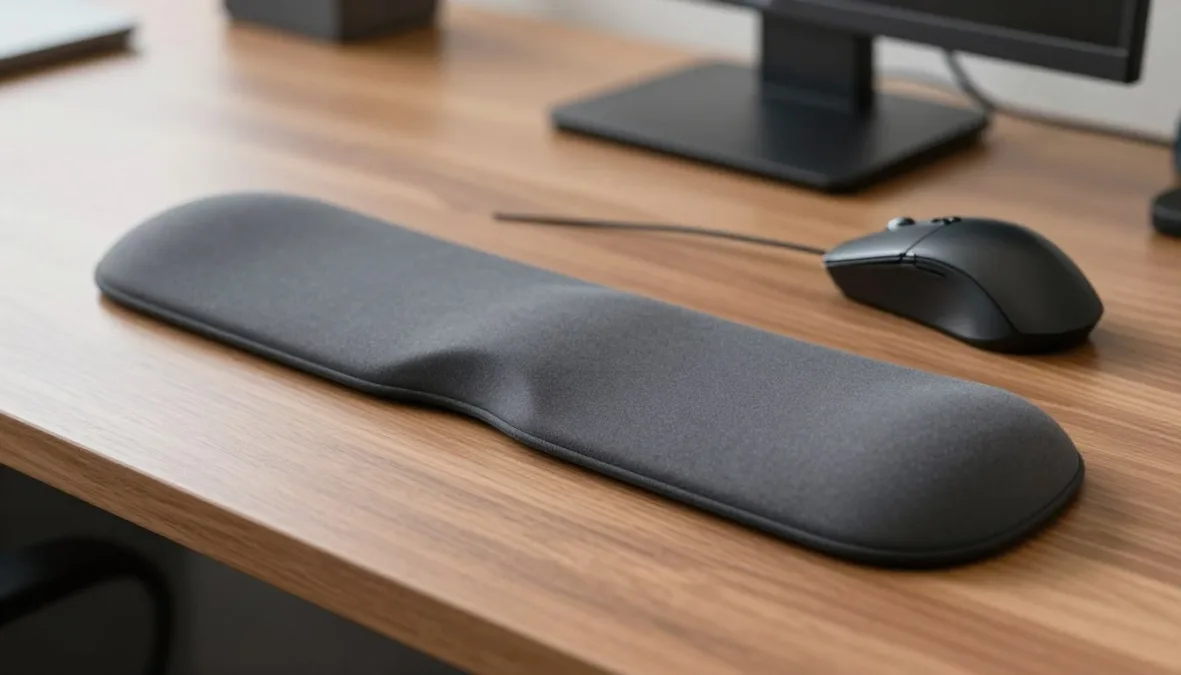
The contoured gel structure supports neutral wrist alignment during extended pointing tasks.
Measuring 5.9 inches in length, 2.9 inches in width, and 0.9 inches in thickness, the wrist rest matches standard right-handed, left-handed, and symmetrical mouse designs. It aligns cleanly alongside standard desk pads, fabric mouse mats, and bare desktop finishes. This accessory is best for data analysts, graphic specialists, and administrative staff who navigate intensive software interfaces throughout the business day.
Users who utilize vertical ergonomic mice or trackball units should measure device base height prior to selection. Highly elevated vertical mice may require taller wrist supports or unencumbered forearm movement on desk pads.
Available under twenty dollars, this compact ergonomic upgrade delivers meaningful wrist comfort for a modest investment. It makes an excellent standalone gift or companion item paired with a wireless mouse.
Moft Foldable Adhesive Laptop Stand
The Moft Foldable Adhesive Laptop Stand adheres directly to the bottom of portable computers to provide instant ergonomic elevation wherever work occurs. Its origami-inspired folding structure creates a sturdy angled platform in seconds without requiring extra desk hardware or loose parts.
Constructed from custom fiberglass and durable polyurethane sheets, the stand supports up to 18 pounds of downward force despite weighing mere ounces. It offers two adjustable elevation angles: a 15-degree setting that elevates the screen by 2 inches for typing comfort, and a 25-degree setting that elevates the screen by 3 inches for enhanced video call eye levels. A reusable adhesive backing attaches securely to metal and plastic chassis without leaving sticky residues when removed.
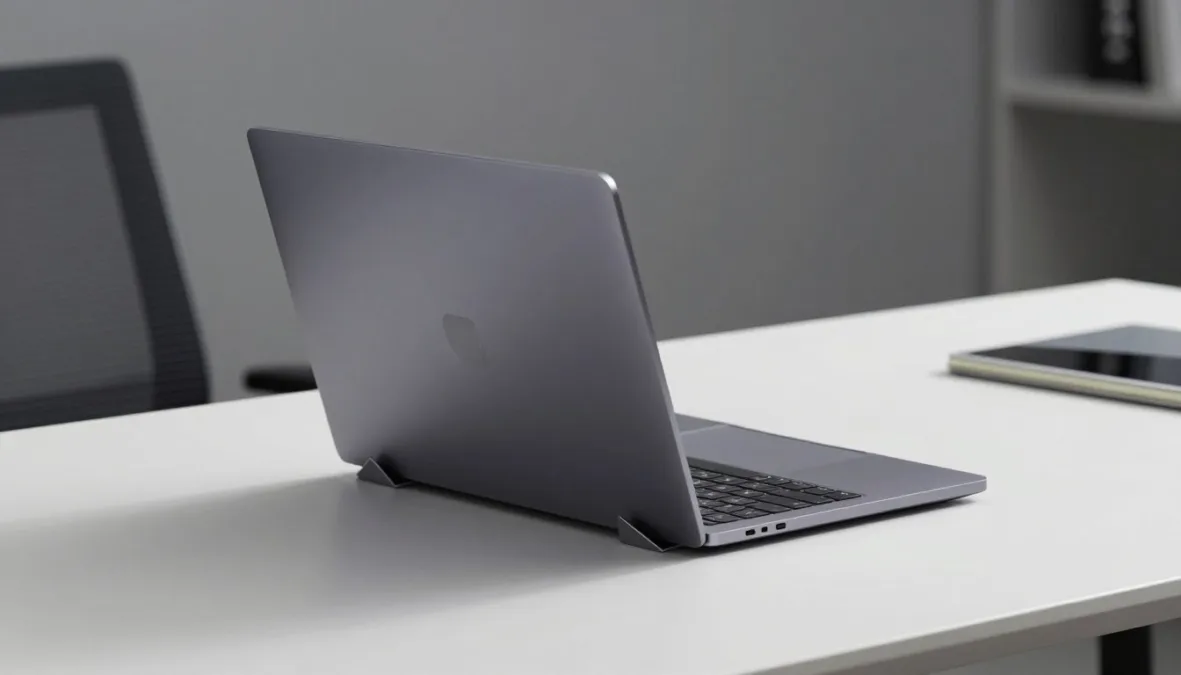
Dual-angle folding panels elevate laptop displays to improve posture and video camera angles.
When folded flat, the stand measures 8.8 inches in width, 6.7 inches in depth, and a mere 0.12 inches in thickness, slipping smoothly into laptop sleeves and backpacks. It fits standard laptops with screen sizes between 11.6 inches and 15.6 inches. This tool is best for digital nomads, hot-desking professionals, and kitchen-table workers who need portable ergonomic elevation.
Advantages
- Ultra-thin profile remains permanently attached to the laptop for effortless transport.
- Dual tilt settings accommodate both heavy keyboard typing and elevated reading angles.
- Integrated magnetic tabs keep folding panels firmly locked in place when traveling.
Limitations
- Adhesive sheet can obstruct bottom intake vents on laptops with centralized cooling fans.
- Cannot match the extreme elevation heights offered by heavy freestanding metal desktop risers.
Priced around thirty dollars, this sleek stand solves the awkward downward camera angle typical of portable laptop work. Always confirm that the recipient’s laptop chassis features a flat, vent-free bottom surface before purchasing.
Logitech M325 Wireless Mouse
The Logitech M325 Wireless Mouse replaces clunky laptop trackpads with responsive, sculpted optical navigation that reduces finger fatigue. Its reliable wireless connection allows users to position their hand naturally across the desk surface rather than remaining anchored to a laptop wrist-rest area.
Equipped with micro-precise scrolling gear wheels, the mouse provides smooth movement across dense documents, web pages, and financial spreadsheets. Textured soft rubber side grips contour comfortably into the palm, supporting natural control for both left-handed and right-handed users. A single AA battery powers the unit for up to eighteen months of standard office operation via intelligent automatic sleep states.
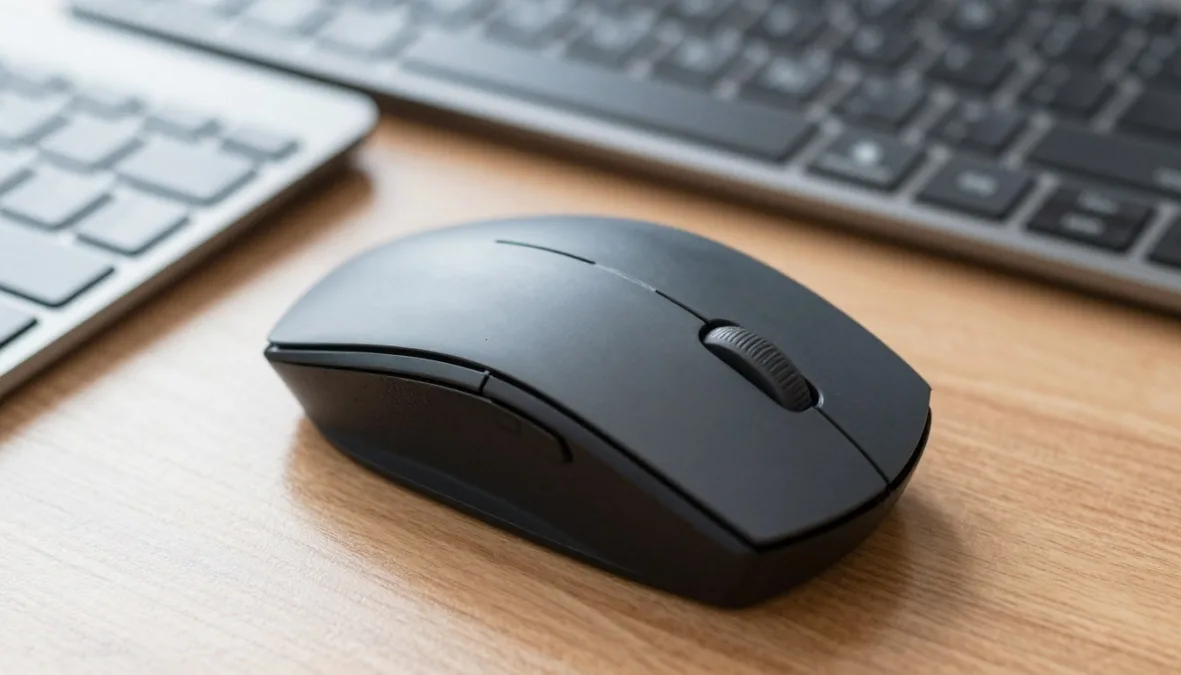
Contoured side grips and micro-precise scrolling wheels facilitate comfortable everyday computer navigation.
The mouse measures 3.73 inches in length, 2.24 inches in width, and 1.54 inches in height, weighing approximately 3.28 ounces with the battery installed. It communicates via a 2.4 GHz USB Unifying receiver that inserts into any open USB-A port. It is best for mobile remote workers, individuals with small to medium hand sizes, and compact workspace setups.
| Feature | Specification | Workspace Benefit |
| Connection Type | 2.4 GHz USB | Delivers reliable wireless range without Bluetooth lag. |
| Battery System | 1x AA Battery | Eliminates daily charging cables on the desktop. |
| Sensor Engine | Advanced Optical | Tracks accurately on wood, laminate, and composite desks. |
| OS Support | Windows macOS | Functions immediately across major business operating platforms. |
Priced under thirty dollars, the M325 provides dependable everyday input performance. Modern USB-C-only laptops will require a compact USB-A to USB-C adapter to seat the wireless receiver.
DMoose Cable Management Box
The DMoose Cable Management Box conceals unsightly power strips, surge protectors, and messy tangled cords inside a protective, fire-retardant container. Hiding loose wires off the floor creates a visually serene workspace while preventing cords from tangling around feet or chair wheels.
Manufactured from robust, electrically insulated ABS material, the organizer features a genuine wooden-styled top lid that complements contemporary residential decor. Dual side cutouts allow heavy surge protector cords to enter and exit smoothly, while top routing slots let phone and tablet charging cables extend directly onto the desk. Raised ventilation channels along the base promote steady airflow around heat-generating AC power bricks.
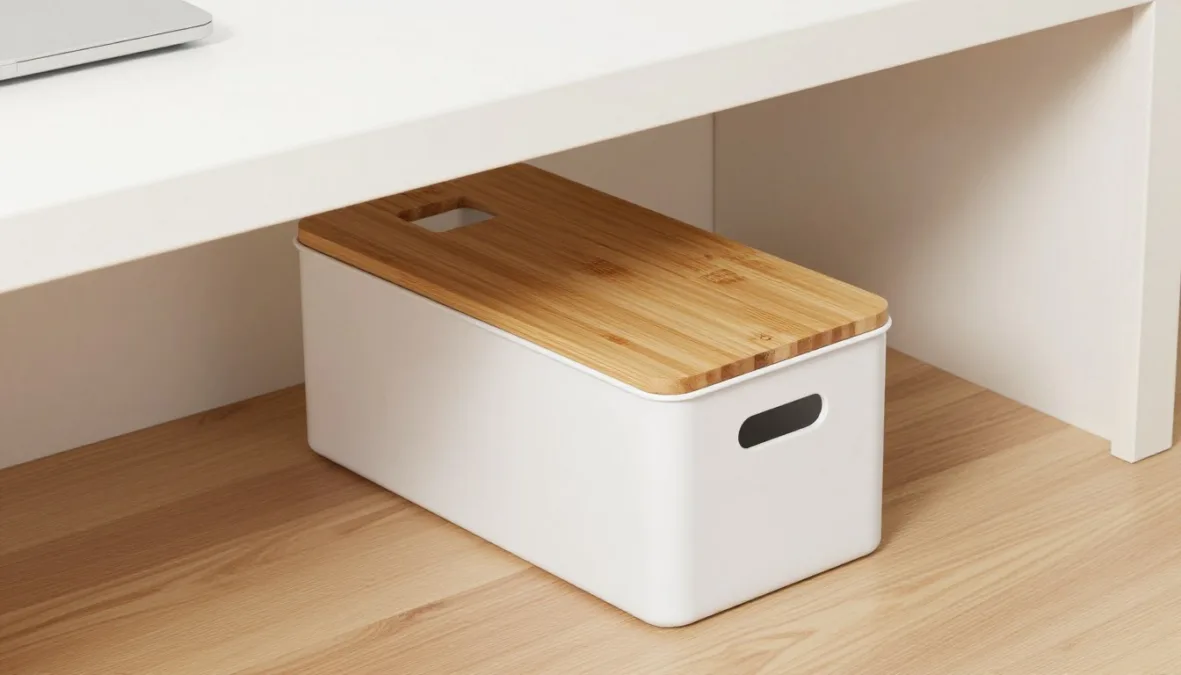
Dedicated side cable cutouts allow power strips and charging cables to route cleanly without tangling.
Measuring 15.7 inches in length, 6.2 inches in width, and 5.4 inches in height, this box accommodates standard 6-outlet and 8-outlet power strips alongside bulky power adapters. It rests securely on floors, under-desk trays, or credenzas. This gift is ideal for remote employees whose home office spaces double as living rooms or bedrooms where visible cord clutter disrupts relaxation.
Large enterprise-grade surge protectors exceeding 15 inches in total length or units with side-mounted power switches may not fit comfortably within the internal cavity. Measure the recipient’s primary power strip prior to ordering.
Priced around thirty-five dollars, this cord organizer transforms chaotic cable nests into an orderly, professional presentation. It also protects vulnerable electrical plugs from inquisitive pets and children.
JLab Go Work Wireless Bluetooth Headset
The JLab Go Work Wireless Bluetooth Headset delivers crisp voice clarity for virtual meetings, calls, and webinars without the physical tether of wired connections. It combines a dedicated noise-canceling boom microphone with plush on-ear earcups to enhance audio communication during busy household workdays.
Featuring Bluetooth multipoint technology, the headset connects simultaneously to two devices, such as a work laptop and a personal mobile phone. Users can attend a Zoom video call on their computer and switch over to an incoming smartphone voice call without repairing Bluetooth links. The integrated boom mic swivels out of the way when listening to focus music and includes a quick-access mute button with an LED indicator light.
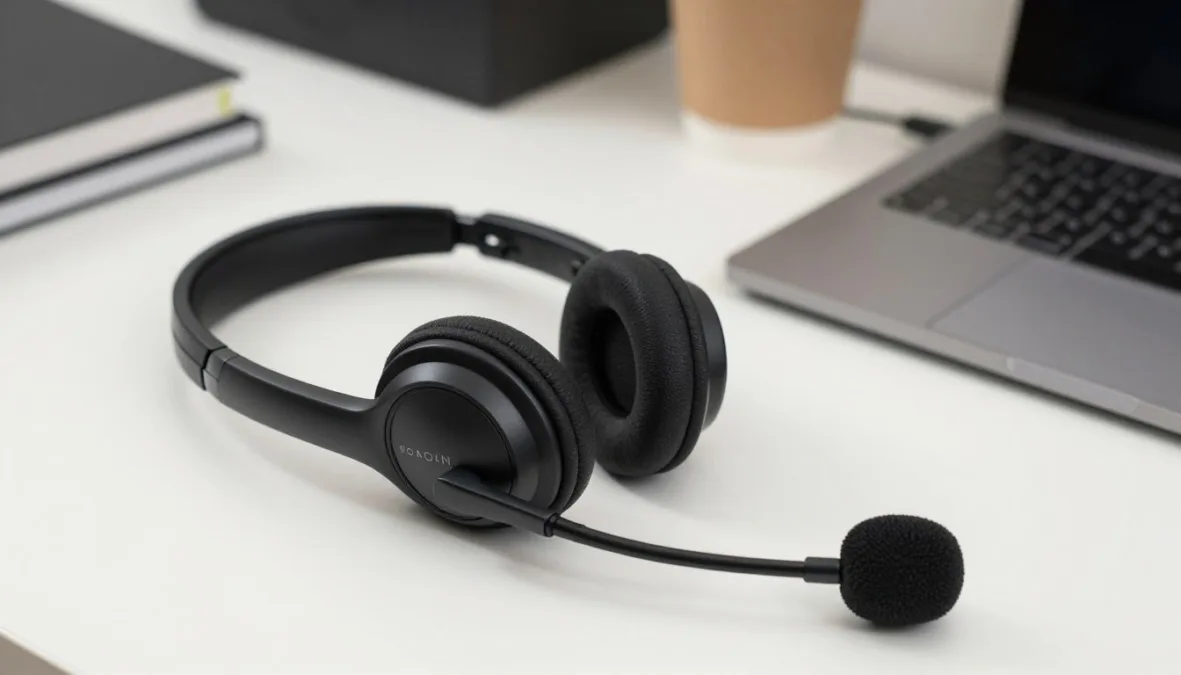
The rotating boom microphone isolates spoken voice frequencies while muting ambient household noise.
The lightweight headband weighs approximately 6 ounces, featuring adjustable slider tracks that fit varying head sizes without pinching temples or eyeglass frames. It connects wirelessly to Windows, macOS, ChromeOS, iOS, and Android systems, and includes a 3.5mm backup cable for wired connections. It is best for customer service representatives, project coordinators, and team leads who spend hours in virtual conference rooms.
Advantages
- Multipoint Bluetooth pairing allows instant switching between home computers and mobile phones.
- Visible LED mute indicator confirms microphone status clearly during confidential conversations.
- Generous battery capacity provides over 45 hours of continuous talk time per charge.
Limitations
- On-ear cup architecture provides passive sound damping rather than active noise cancellation.
- Users wearing thick spectacles may feel modest pressure against the outer ear cartilage during continuous 8-hour sessions.
Priced around forty to fifty dollars, this headset represents one of the strongest audio upgrades for remote team members. Its dual wireless and wired connectivity options prevent meeting interruptions caused by depleted batteries.
Kasa Smart Wi-Fi Power Strip (KP303)
The Kasa Smart Wi-Fi Power Strip (KP303) empowers remote workers to automate and control desktop lighting, monitors, and accessory chargers through smartphone apps or voice commands. It streamlines the morning routine by powering on desk accessories with a single scheduled routine or spoken prompt.
The unit provides 3 independently controlled smart AC outlets alongside 2 shared always-on USB-A charging ports. Through the Kasa companion mobile app, users can set automated sunrise-to-sunset schedules, group outlets with existing smart lighting, and monitor connected devices remotely. Built-in surge suppression safeguards sensitive computer hardware against utility voltage spikes and electrical storms.
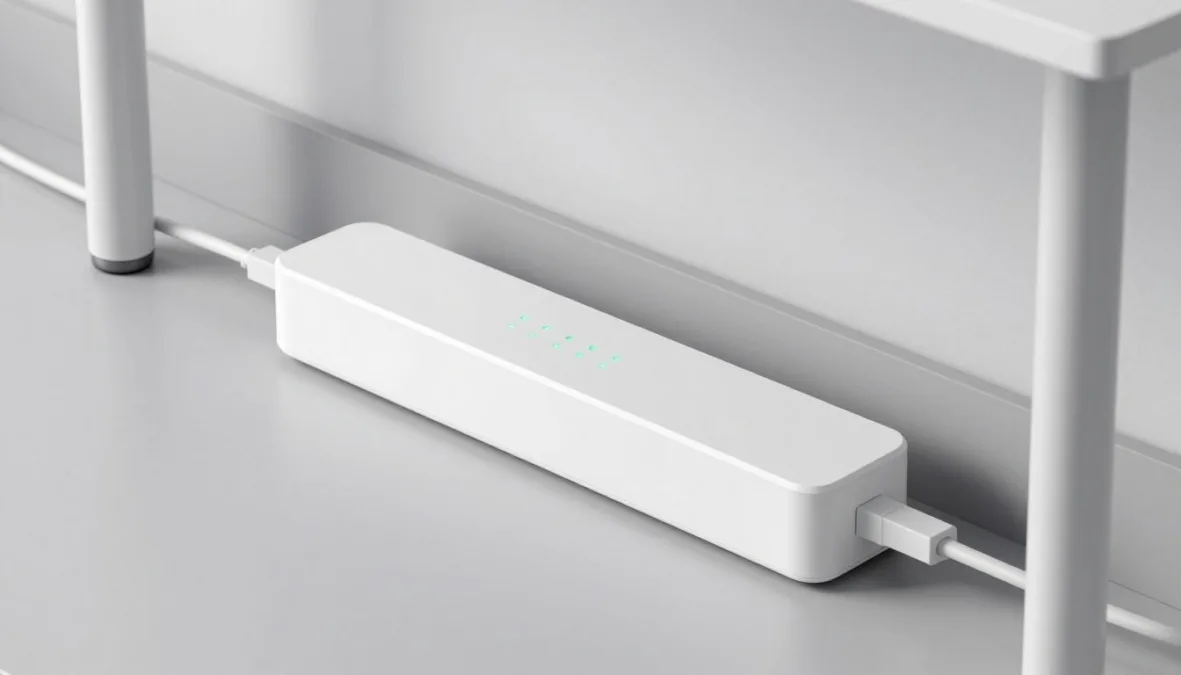
Independently controlled smart outlets allow automated scheduling for desk lamps, speakers, and peripheral monitors.
Measuring 10.2 inches in length, 2.5 inches in width, and 1.5 inches in height, the housing features a 3-foot power cord terminating in a space-saving angled plug. It communicates over standard 2.4 GHz home Wi-Fi networks without requiring an expensive secondary hardware bridge. This accessory is best for tech-savvy telecommuters who enjoy smart home automation and want to eliminate standby vampire power draw.
- Operates seamlessly with Apple Home, Amazon Alexa, Google Home, and Samsung SmartThings ecosystems.
- Independent outlet switching allows selective shutdown of secondary monitors while keeping PC hubs active.
- Dual USB-A ports output 5V/2.4A combined power for charging wireless mice, styluses, and desk fans.
- Integrated surge protection shields desktop computing equipment against sudden utility surges.
Priced under thirty-five dollars, this smart power strip brings intelligent convenience to home office workstations. Setup requires an accessible 2.4 GHz Wi-Fi frequency band on the household wireless router.
SimpleHouseware Mesh Desk Organizer with Sliding Drawer
The SimpleHouseware Mesh Desk Organizer with Sliding Drawer restores order to cluttered workstations by centralizing paper files, notebooks, and writing instruments into a vertical steel caddy. Utilizing vertical storage space frees up valuable horizontal desktop area for mouse movement and typing.
Constructed from commercial-grade steel wire mesh with a powder-coated matte finish, the unit resists dents and surface scratches. The top section features two tiered letter trays for active correspondence, notebooks, and tablets, alongside a rear vertical slot designed for hanging file folders. A smooth-gliding pull-out bottom drawer contains partitioned compartments tailored for sticky notes, pens, paper clips, and flash drives.
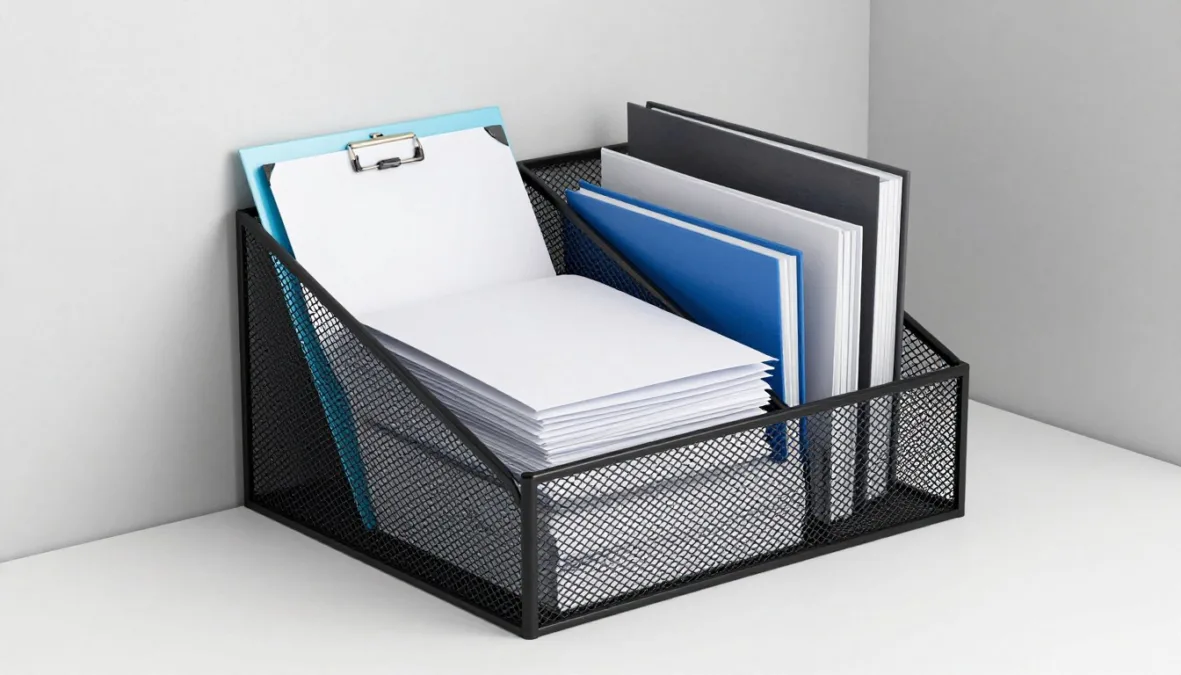
Vertical mesh storage compartments organize correspondence and office stationery without occupying wide surface spans.
The complete organizer measures 13.25 inches in width, 11 inches in depth, and 10.75 inches in height, with rubberized protective feet that prevent scratching delicate wood or glass desk surfaces. It accommodates standard US Letter-size documents, folders, and standard spiral binders. This organizational upgrade is ideal for legal assistants, accountants, educators, and administrators handling physical paperwork alongside digital files.
Check the vertical clearance beneath overhead desk hutches or elevated monitor riser shelves before placing this unit. A minimum vertical opening of 12 inches is recommended to allow easy top-slot file retrieval.
Priced comfortably under thirty dollars, this sturdy organizer delivers lasting structure to any chaotic work corner. Its open-mesh design allows immediate visual identification of essential folders and pens.
Selecting the Top 10 Gifts for Remote Workers Under $50 in the USA 2026
Evaluating desk accessories for home-based workers requires balancing physical ergonomics, peripheral connectivity, and spatial footprints. A gift that excels in a dedicated spare-room executive suite may prove awkward or unusable in a compact apartment corner workstation.
Begin by checking physical interface compatibility, particularly hardware connection ports on company-issued laptops. Many enterprise employers supply ultra-thin corporate notebooks that feature only USB-C or Thunderbolt sockets, meaning standard USB-A peripherals require dedicated adapter dongles. Similarly, verify whether wireless peripherals support direct Bluetooth pairing or rely on proprietary wireless USB dongles that occupy limited computer ports.
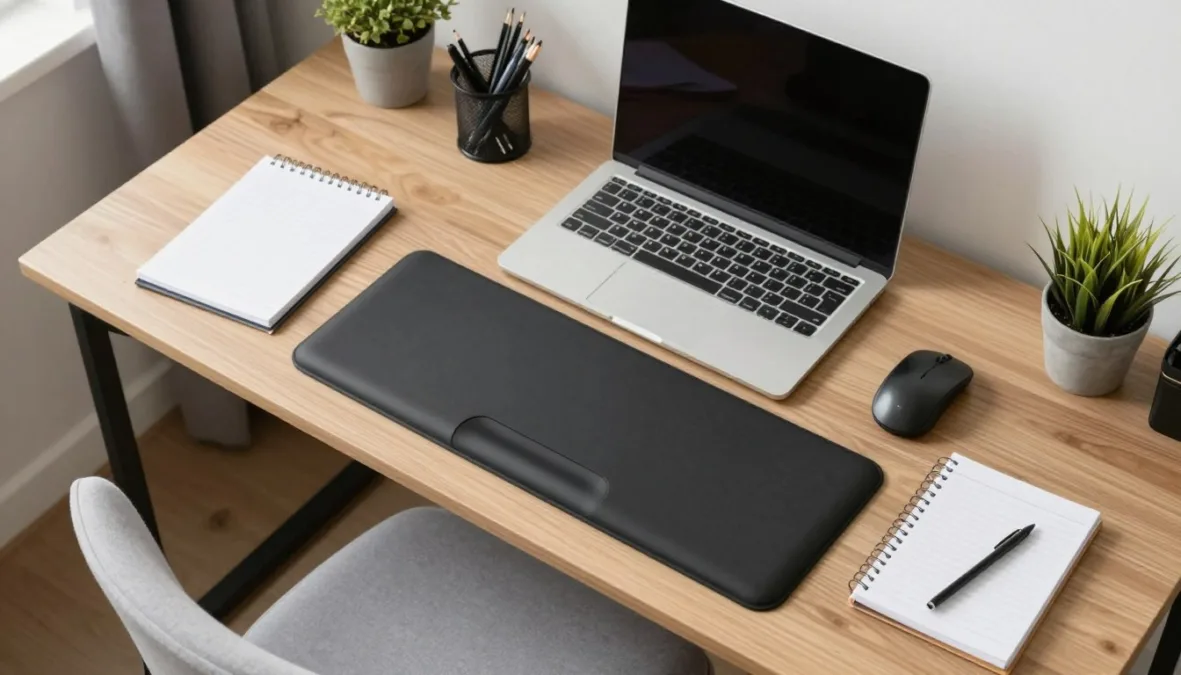
Harmonizing physical desk dimensions with computer connectivity creates a productive home office setup.
Workspace surface geometry also dictates product suitability. Sit-stand motorized desks require accessories with secure grip bases and flexible cord lengths that travel smoothly during height adjustments without pulling tension on power plugs. For fixed-height traditional desks, ergonomic cushions and foot supports compensate for static chair dimensions to support healthy postural alignment throughout eight-hour shifts.
- Relieves muscle strain in wrists, neck, and lower lumbar regions.
- Promotes active postural changes through angled foot and laptop supports.
- Fits universally across standard office seating and table heights.
- Requires zero software configuration or corporate IT security approvals.
Ergonomic Upgrades
- Automates peripheral power schedules and protects electrical hardware.
- Enhances audio transmission clarity and reduces ambient room echo.
- Reclaims valuable desktop real estate through vertical mounting.
- Eliminates cable clutter from floor surfaces and seating paths.
Tech and Utility Tools
Assessing these practical criteria helps shoppers select desk gifts that integrate smoothly into real-world telecommuting routines. Focusing on functional utility delivers lasting daily satisfaction long after the gift is unboxed.
Frequently Asked Questions
Will a monitor light bar fit on curved or laptop screens?
Most standard monitor light bars, including the Quntis ScreenLinear, are engineered specifically for flat desktop monitors with regular rectangular bezels. Pronounced curved monitors require specialized curved mounting brackets, while laptop screens are generally too thin to support weighted counterweight mounting blocks safely.
Do USB-A computer accessories work with modern USB-C laptops?
USB-A accessories operate properly with USB-C laptops when paired with an inexpensive USB-A to USB-C adapter or multi-port hub. Checking the recipient’s computer ports helps determine whether an adapter should accompany the gift.
How does an under-desk foot rest benefit ergonomic posture?
An under-desk foot rest elevates feet to allow thighs to rest parallel to the floor, reducing concentrated pressure behind the knees. This elevated foundation supports neutral pelvic alignment and encourages proper lower back contact against office chair lumbar pads.
Can wireless office headsets connect to both computers and phones simultaneously?
Headsets equipped with Bluetooth multipoint capability, such as the JLab Go Work, maintain active wireless links with two host devices at the same time. This feature enables seamless audio switching between computer conference calls and incoming cellular phone calls.
Are smart power strips compatible with all residential Wi-Fi networks?
Smart Wi-Fi power strips communicate almost exclusively over standard 2.4 GHz wireless network bands rather than 5 GHz channels. Modern dual-band home routers support these devices easily, though setup occasionally requires connecting a smartphone to the router’s 2.4 GHz network name during initial pairing.
Practical Desk Upgrades on a Sensible Budget
Upgrading a home office setup does not require hundreds of dollars in high-end commercial furniture. Selecting targeted accessories that address lighting, cable organization, physical posture, and clear communication elevates daily productivity while keeping expenses strictly under fifty dollars. Measuring desk dimensions and checking device ports beforehand confirms that every chosen gift delivers immediate, reliable value from day one.

Priyanka Pandey
Senior Research Editor · Top10Sense
Priyanka specializes in tech, consumer products, and digital trends. She combines hands-on testing, vendor interviews, and database research to create trustworthy “Top 10” rankings. Her work has been referenced by industry blogs and brand report pages.