
Finding competitive Black Friday laptop deals under $500 requires balancing processing speed, display quality, and reliable build construction within entry-level pricing tiers. Capable options combine modern multi-core processors, full high-definition screens, and solid-state storage to handle daily productivity without excessive lag. Solid bargains prioritize responsive everyday performance over high-end aluminum finishes or luxury extras.
Intended workloads determine whether an energy-efficient Chromebook or a flexible Windows machine serves as the ideal holiday purchase. Assessing operating system requirements, display panel types, and component longevity helps buyers secure dependable hardware while avoiding underpowered retail configurations.
Transparent Evaluation Criteria for Budget Laptops
Evaluating portable computers in the sub-$500 category demands strict hardware standards to separate durable tools from disposable electronics. Each potential selection undergoes systematic scrutiny based on processing efficiency, memory bandwidth, physical build stability, and display fidelity. Configurations featuring outdated dual-core silicon, dim low-resolution screens, or mechanical hard drives receive immediate disqualification.
Holiday shopping seasons often introduce specialized retailer configurations designed specifically for promotional sales events. Scrutinizing internal specifications reveals whether a promotional machine provides lasting everyday utility or cuts corners on crucial operational components. Memory soldered to the main board, limited thermal venting, and narrow color gamuts represent frequent trade-offs at this price floor.
Reliable selections must feature modern quad-core processing architectures, solid-state system drives, and at least 1080p screen resolution. Prioritizing these foundational traits prevents sluggish software operation across multi-year ownership cycles.
Pricing data for holiday sales cycles reflects current market availability and recurring promotional patterns from major United States retail chains. Formal circular listings for holiday discount events publish closer to late November, making current selections authoritative forecasts based on existing hardware inventories.
Top 10 Black Friday Laptop Deals Under $500
The following selections represent top candidates for aggressive retail discounts during holiday shopping cycles. Specifications, strengths, and target profiles outline what prospective owners can anticipate from each platform.
1. ASUS Chromebook Plus CX34
The ASUS Chromebook Plus CX34 pairs modern processing efficiency with standard ChromeOS optimization for dependable cloud productivity. The system runs an Intel Core i3-1215U processor alongside 8 GB LPDDR5 RAM and 128 GB UFS storage. A 14-inch 1920×1080 IPS anti-glare display delivers wide viewing angles, supported by an integrated 1080p webcam with physical privacy shutter.
Battery performance supports all-day mobile operation across typical school and office duties. Robust hinge design and a comfortable antimicrobial keyboard surface represent key advantages, though local storage space remains modest for extensive offline media. This laptop suits remote students and administrative workers focused on browser applications.
Promotional Status: Black Friday 2026 pricing represents an anticipated forecast pending official retail circular announcements across major computer outlets.
2. Acer Aspire 3 (A315-24P)
The Acer Aspire 3 delivers traditional Windows flexibility powered by an AMD Ryzen 3 7320U processor featuring Radeon 610M integrated graphics. Internal hardware includes 8 GB LPDDR5 system memory paired with a fast 256 GB NVMe solid-state drive. Visual output relies on a 15.6-inch full high-definition 1080p display with slim side bezels.
Full-day productivity battery life accommodates mobile lecture schedules or workday tasks away from wall outlets. Strengths center on brisk responsiveness for spreadsheets, document creation, and multimedia playback, while chassis plastics show moderate flex under heavy typing pressure. The platform serves home users needing uncompromised Windows software support.
Promotional Status: Discount availability reflects standard promotional cycles, with holiday pricing forecasts pending official retail confirmation.
3. Lenovo IdeaPad Slim 3
Lenovo IdeaPad Slim 3 utilizes an AMD Ryzen 5 7520U processor to deliver responsive multi-threaded performance for multi-tab browsing and office multitasking. Equipped with 8 GB LPDDR5 memory and a generous 512 GB solid-state drive, this configuration runs Windows 11 Home natively. The 15.6-inch 1080p IPS display provides balanced brightness and accurate contrast for reading text.
Internal thermal management maintains quiet cooling fans during sustained document editing and video calls. The generous solid-state drive capacity provides ample space for personal libraries, though the integrated speakers produce thin bass output. Mobile professionals seeking strong baseline storage will find strong value here.
Promotional Status: Holiday promotional listing represents an anticipated seasonal discount from major national electronic retailers.
4. ASUS Vivobook Go 15
The ASUS Vivobook Go 15 provides an accessible path into full-sized computing using an AMD Ryzen 3 7320U processor with 8 GB RAM and 256 GB SSD storage. A 15.6-inch anti-glare 1080p display offers comfortable screen real estate for split-screen document workflows. The machine operates on Windows 11 Home in S Mode, which users can switch to standard Windows without financial cost.
A lay-flat hinge mechanism and integrated numeric keypad facilitate extensive data entry tasks. Key strengths include a lightweight chassis profile and quiet low-power thermal characteristics, offset by modest maximum panel brightness in direct sunlight. Budget-conscious bookkeepers and office workers benefit most from this layout.
Promotional Status: Projected holiday promotional pricing remains subject to retailer catalog releases closer to the holiday shopping period.
5. HP Laptop 15
HP Laptop 15 delivers dependable daily processing through an Intel Core i3-1215U processor featuring hybrid performance and efficiency cores. The architecture supports 8 GB DDR4 RAM alongside a 256 GB PCIe NVMe drive under standard Windows 11 Home. A 15.6-inch micro-edge 1080p screen ensures crisp text clarity for web browsing and streaming entertainment.
Rapid charging capabilities restore working power quickly during brief breaks between study sessions. Reliable Wi-Fi connectivity and a full-size keyboard stand out as operational benefits, while the lack of keyboard backlighting limits visibility in darkened lecture halls. Students requiring consistent general computing find a dependable partner in this machine.
Promotional Status: Forecasted holiday sale placement follows historic sub-$500 promotional events across leading national department and electronic chains.
6. Dell Inspiron 15 3520
The Dell Inspiron 15 3520 combines an Intel Core i3-1215U processor with 8 GB DDR4 memory and a 256 GB solid-state boot drive. Operating on Windows 11 Home, the chassis houses a 15.6-inch 1080p screen supporting an elevated 120Hz refresh rate for fluid window scrolling and cursor movement. An ergonomic lift hinge tilts the keyboard deck forward to reduce wrist strain.
Smooth visual motion and accessible internal expansion slots for memory upgrades serve as notable high points, though chassis surfaces attract skin oils easily. This configuration suits desktop-replacement duties for family households and home offices handling standard productivity tasks.
Promotional Status: Anticipated promotional discount subject to formal Black Friday event publication by major direct and third-party vendors.
7. ASUS Chromebook CX15
The ASUS Chromebook CX15 focuses on durable basics for elementary education and cloud-centric personal computing. Internal specifications feature an Intel Celeron N4500 dual-core processor, 8 GB system RAM, and 64 GB eMMC flash storage managed through ChromeOS. A spacious 15.6-inch anti-glare 1080p display provides ample space for educational web portals.
Extended operational runtime keeps the device active through full school days without requiring mid-day power replenishment. Structural durability and spill-resistant keyboard engineering protect against minor accidents, though the low-tier Celeron processor limits demanding media rendering. Young learners and casual web browsers represent the ideal demographic.
Promotional Status: Projected holiday promotional inclusion based on historical seasonal inventory cycles in the budget educational category.
8. Lenovo IdeaPad Flex 5i Chromebook
Lenovo IdeaPad Flex 5i Chromebook features a flexible 2-in-1 convertible hinge that transitions smoothly between laptop, tent, and tablet modes. Processing power stems from an Intel Core i3-1315U processor backed by 8 GB RAM and a responsive 128 GB SSD. The 14-inch 1920×1200 IPS touchscreen presents a taller 16:10 aspect ratio for expanded vertical reading room.
Crisp stereo speakers and versatile touch input make digital sketching, note-taking, and video streaming straightforward and engaging. While slightly heavier than rigid clamshell alternatives, the premium aluminum top cover provides superior structural rigidity. Creative students and casual multimedia viewers will appreciate the versatile form factor.
Promotional Status: Holiday promotional listing represents an expected seasonal discount across major warehouse clubs and electronics retailers.
9. Acer Chromebook Plus 515
The Acer Chromebook Plus 515 elevates standard web computing with an Intel Core i3-1215U processor, 8 GB high-speed RAM, and 128 GB UFS storage. Built to meet Google Chromebook Plus hardware benchmarks, it includes AI-powered video call enhancement tools and offline file sync capabilities. The 15.6-inch full HD IPS display provides wide viewing angles and balanced color saturation.
High-resolution webcam performance and responsive web application multitasking distinguish this laptop from generic budget alternatives. The plastic lower deck exhibits mild flex under intentional pressure, but everyday stability remains solid. Remote telecommuters relying on Google Workspace find an efficient, low-maintenance work tool.
Promotional Status: Holiday sales pricing anticipated in forthcoming promotional releases across national consumer electronics distributors.
10. Lenovo Chromebook Duet 3
The Lenovo Chromebook Duet 3 offers an ultra-portable detachable tablet design featuring a magnetic fabric stand and snap-on keyboard folio. Powered by a power-sipping Qualcomm Snapdragon 7c Gen 2 compute platform, the machine includes 4 GB RAM and 64 GB eMMC storage. The 11-inch 2K (2000×1200) IPS touch display delivers sharp text and rich visual output.
Exceptional battery longevity allows extended travel use, while the compact footprint slips effortlessly into small commuter bags. Modest memory capacity discourages heavy multitasking across dozens of browser tabs, but media viewing and document review run smoothly. Mobile commuters and secondary-device users gain maximum portability.
Promotional Status: Forecasted holiday markdown contingent upon published retail seasonal advertisements.
Side-by-Side Specifications Comparison
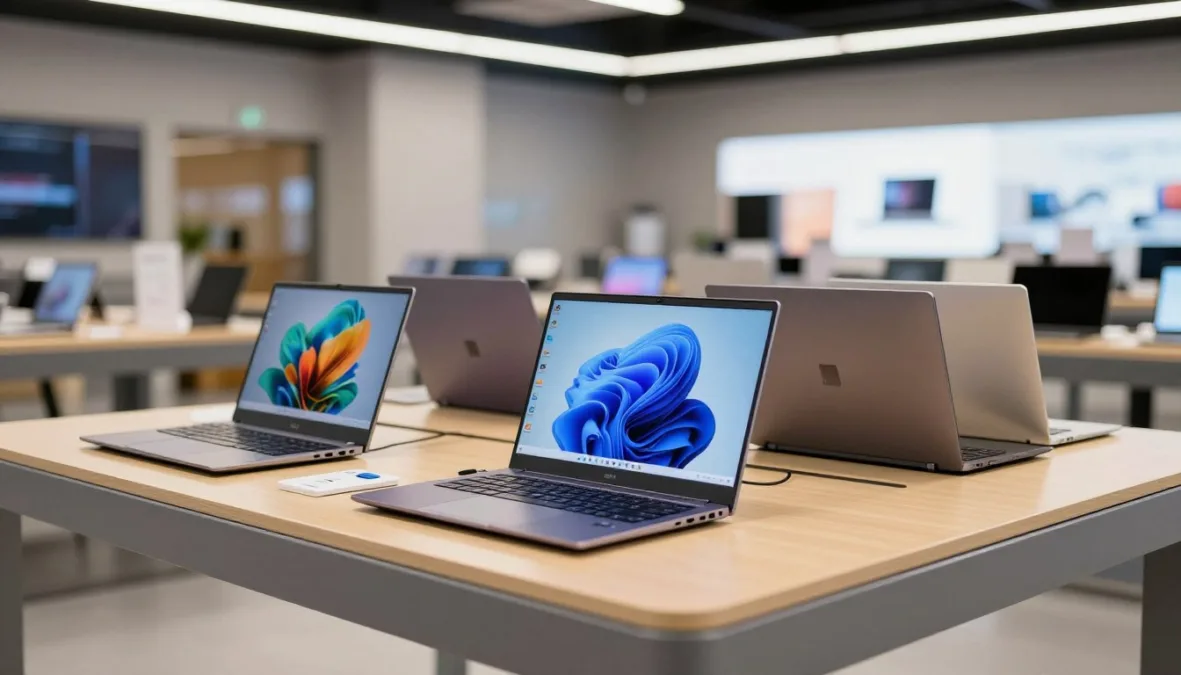
Comparing internal components side-by-side helps identify the right balance of memory, processing speed, and display dimensions. The following reference table outlines the hardware specifications across all ten featured machines.
| Model | Platform | Core Hardware | Primary Strength |
| ASUS CX34 | ChromeOS | i3 / 8GB / 128GB | Balanced cloud productivity |
| Acer Aspire 3 | Windows 11 | Ryzen 3 / 8GB / 256GB | Reliable desktop application support |
| IdeaPad Slim 3 | Windows 11 | Ryzen 5 / 8GB / 512GB | Generous internal storage capacity |
| Vivobook Go 15 | Windows 11 | Ryzen 3 / 8GB / 256GB | Full keyboard numeric pad |
| HP Laptop 15 | Windows 11 | i3 / 8GB / 256GB | Rapid charging battery system |
| Inspiron 3520 | Windows 11 | i3 / 8GB / 256GB | Smooth high-refresh display |
| ASUS CX15 | ChromeOS | Celeron / 8GB / 64GB | Spill-resistant rugged keyboard |
| Flex 5i | ChromeOS | i3 / 8GB / 128GB | Convertible touchscreen flexibility |
| Acer Plus 515 | ChromeOS | i3 / 8GB / 128GB | Enhanced video conferencing features |
| Duet 3 | ChromeOS | Snapdragon / 4GB / 64GB | Detachable ultra-compact profile |
Each configuration reflects established manufacturing baselines designed to handle modern web standards and general productivity software. Verifying specific retailer model numbers before purchasing confirms that identical internal components are present.
Category Leaders for Value, Productivity, and Study
Specific usage demands call for distinct hardware balances, as no single budget laptop excels equally across every scenario. The following recommendations match particular user requirements with optimal system configurations.
- Best Overall Value: Lenovo IdeaPad Slim 3. Combining a powerful AMD Ryzen 5 processor with a spacious 512 GB solid-state drive delivers an ideal balance of computing speed and storage room under standard holiday retail thresholds.
- Best for Students: ASUS Chromebook Plus CX34. Robust physical construction, an integrated physical webcam shutter, and seamless Google Classroom integration make this durable machine a dependable educational companion.
- Best for Office Work: Acer Aspire 3. Unrestricted Windows 11 compatibility enables local installations of specialized business utilities, legacy accounting software, and comprehensive Microsoft 365 spreadsheet macros.
- Best for Portability: Lenovo Chromebook Duet 3. A featherweight detachable form factor, fanless silent operation, and long battery runtime allow smooth mobile work on commuter transit or small café tables.
- Best for Everyday Home Use: Dell Inspiron 15 3520. A comfortable 15.6-inch screen with an elevated refresh rate and an ergonomic typing angle handles shared family browsing, bill paying, and media streaming effortlessly.
Selecting a machine tailored to specific day-to-day routines prevents unnecessary compromises in usability and long-term satisfaction. Evaluating software dependencies prior to purchase remains the most effective way to eliminate platform mismatch.
Chromebook Versus Windows Operating Systems
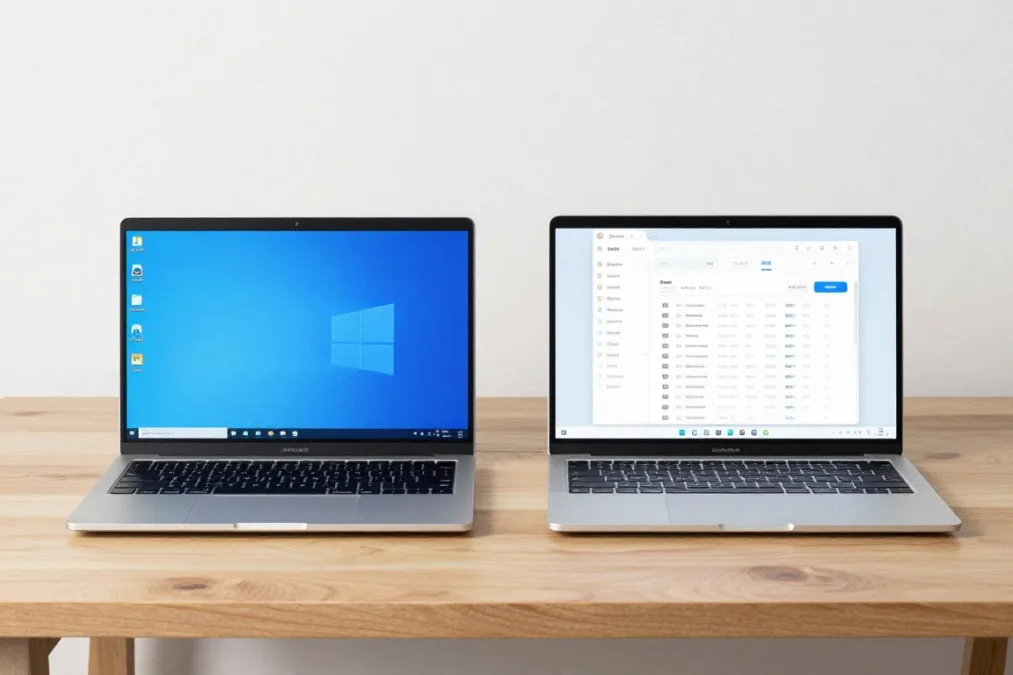
Choosing between ChromeOS and Windows represents the most significant platform decision when buying a laptop under $500. Each operating system approaches hardware resource management and software distribution with contrasting priorities.
- Swift system boot times and seamless background maintenance updates.
- Efficient resource utilization allowing fluid operation on modest hardware.
- Integrated resistance against conventional executable malware and viruses.
- Direct integration with Android mobile utilities and cloud storage platforms.
ChromeOS Advantages
- Unrestricted support for legacy desktop software and local utility installations.
- Broad driver compatibility across external printers, scanners, and input devices.
- Flexible offline file storage without mandatory cloud synchronizations.
- Standard enterprise management tools for corporate and institutional network access.
Windows 11 Advantages
ChromeOS excels when general activities take place inside browser tabs, web portals, and cloud collaborative suites. Because the operating system maintains a lightweight footprint, entry-level hardware delivers smooth performance without requiring high-end silicon. In contrast, Windows 11 demands more memory and processing overhead to run effectively, but rewards users with universal compatibility across traditional business applications and specialized school software.
Hardware Standards and Component Upgradeability
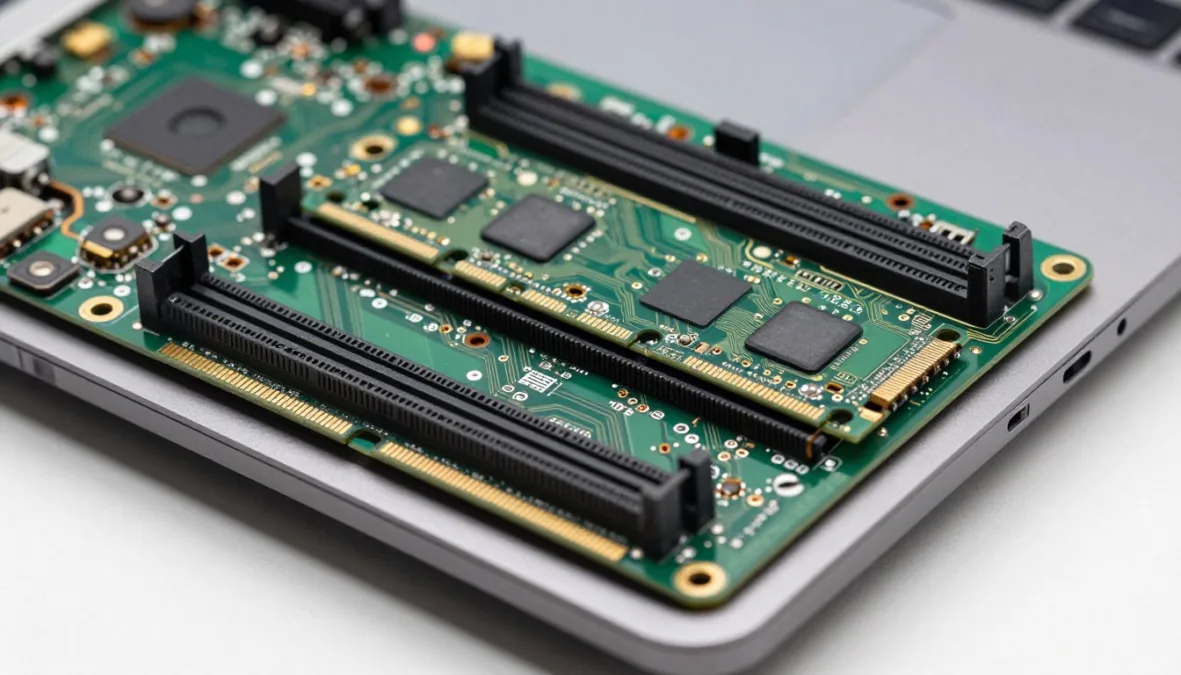
Sub-$500 laptops require close inspection of internal architecture to identify whether components can be serviced or upgraded over time. Manufacturers frequently cut costs by permanently soldering memory modules and wireless cards directly onto the motherboard.
Purchasing configurations with 8 GB of RAM serves as an essential baseline for smooth multitasking on both Windows and ChromeOS. Systems equipped with only 4 GB often struggle when managing simultaneous web tabs and video conferencing streams. While some 15.6-inch Windows laptops maintain an open SO-DIMM memory slot for future expansion, ultra-slim chassis designs and Chromebook models almost universally solder RAM permanently.
Avoid buying laptops reliant on slow 32 GB or 64 GB eMMC flash memory for Windows installations. Windows operating updates consume substantial drive space, leading to operational bottlenecks unless a true NVMe or SATA solid-state drive is present.
Screen panels also represent a critical specification checkpoint during promotional events. Selecting an IPS display panel over an entry-level TN (Twisted Nematic) screen delivers broader viewing angles and prevents distracting color shifting when adjusting screen tilt.
Holiday Return Windows, Warranties, and Pitfalls
Holiday shopping seasons offer modified retail policies that buyers can leverage to test hardware thoroughly. Major electronics retailers commonly extend standard return windows through early January for purchases made in late autumn, allowing ample time to evaluate keyboard feel, screen comfort, and battery endurance under regular daily workloads.
Holiday Purchasing Advantages
- Extended retail return periods provide thorough evaluation time.
- Aggressive price competition drives solid-state drives into baseline tiers.
- Bundle promotions frequently package mice or protective carrying sleeves.
Common Sub-$500 Pitfalls
- Hollow chassis plastics and flexible keyboard decks reduce durability.
- Narrow color reproduction limits precise photo and video adjustments.
- Soldered system components eliminate straightforward upgrade possibilities.
Standard manufacturer warranties typically cover hardware defects for a one-year baseline period, though accidental damage requires separate protective plans. Keep original packaging intact during the initial weeks of ownership to simplify return logistics should hardware defects or dead display pixels emerge. Inspecting port selections, keyboard layout spacing, and charger brick size right after unboxing helps verify that the machine matches personal lifestyle requirements.
Frequently Asked Questions
Can a laptop under $500 handle modern video gaming?
Laptops in this price class rely on integrated graphics chips suitable for casual 2D titles, older games, and cloud streaming platforms. Demanding modern 3D games require dedicated graphics hardware found in higher pricing tiers to achieve playable frame rates.
How much system memory is recommended for budget laptops?
An allocation of 8 GB RAM represents the practical standard for modern productivity, web multitasking, and media consumption. Choosing 4 GB results in frequent application reloads and interface stuttering during everyday office workloads.
Are Chromebooks capable of functioning without an active internet connection?
Modern Chromebooks support offline document editing via Google Drive, local media playback, and offline-capable Android applications. System files and downloaded materials remain accessible at all times without network access.
What display resolution should buyers demand in this price range?
Full high-definition 1920×1080 resolution stands as the recommended baseline for clear text rendering and split-window productivity. Lower 1366×768 panels present pixelated text and restrict usable desktop workspace.
Can storage capacity be expanded after purchasing a budget laptop?
Many traditional 15-inch Windows models permit swapping the internal M.2 solid-state drive for a higher-capacity unit. Conversely, compact portables and most Chromebooks solder storage chips directly to the board, requiring external USB drives for expansion.
Final Holiday Buying Perspective
Securing an exceptional holiday laptop deal under $500 comes down to prioritizing essential performance hardware over superficial features. Focus on robust quad-core processing, 8 GB of memory, and vibrant full HD display panels to obtain dependable everyday utility. Reviewing return terms and testing the keyboard and screen immediately after purchase provides peace of mind throughout the holiday shopping season.

Priyanka Pandey
Senior Research Editor · Top10Sense
Priyanka specializes in tech, consumer products, and digital trends. She combines hands-on testing, vendor interviews, and database research to create trustworthy “Top 10” rankings. Her work has been referenced by industry blogs and brand report pages.