

Modern project management software unites task scheduling, resource tracking, and team communication within a shared operational environment. High-performing platforms provide clear visibility into task dependencies, automate routine handoffs, and aggregate project updates into real-time dashboards that support cross-functional teams.
Selecting the appropriate platform requires balancing administrative requirements against the daily habits of team members. Organizations must evaluate interface clarity, configuration flexibility, reporting depth, and connectivity with existing business applications.
Comparison of Top Project Management Tools
Project management tools diverge across their underlying data structures, interface layouts, and operational focus areas. Evaluating these systems side by side clarifies which environment matches specific organizational workflows.
| Platform | Core Focus | Primary View | Pricing Structure | Key Distinctions and Trade-offs |
| Asana | Cross-team workflows | List and board | Tiered subscriptions | Strong dependency visualizers and workload views alongside higher-tier advanced automation restrictions. |
| Monday.com | Visual management | Custom grid | Per-seat plans | Extensive column customizations and native triggers with minimum seat purchasing increments. |
| ClickUp | All-in-one flexibility | Multi-view layout | Tiered subscriptions | Deep native feature breadth and custom fields balanced against higher initial configuration complexity. |
| Jira | Agile development | Kanban and sprint | User-based plans | Rigorous issue-tracking taxonomies and release planning tailored specifically for technical product teams. |
| Trello | Lightweight tracking | Kanban board | Freemium model | Frictionless card interactions paired with limited native reporting for complex portfolio initiatives. |
| Smartsheet | Enterprise operations | Enhanced spreadsheet | License tiers | Advanced computational sheet models alongside steep learning curves for non-analyst team members. |
| Wrike | Multi-department ops | Folder tree | Tiered subscriptions | Sophisticated proofing tools and request forms coupled with a multi-layered navigation structure. |
| Notion | Documentation hubs | Relational pages | Per-user plans | Exceptional wiki and database merging but lacks native baseline tracking and formal Gantt charts. |
| Basecamp | Linear coordination | Message board | Flat-rate model | Consolidated team communication spaces without detailed capacity planning or critical path dependencies. |
| Teamwork | Client billables | Task list | Seat-based plans | Integrated time tracking and invoice preparation designed for agencies handling external client deliverables. |
Asana for Workflow Clarity and Cross-Functional Coordination
Asana organizes team objectives by establishing distinct links between daily assignments and higher-level portfolio goals. The interface emphasizes progressive disclosure, allowing individuals to navigate from high-level roadmaps down to granular subtasks without disorientation.
The platform supports multiple views, including dynamic Gantt charts, interactive Kanban boards, and structured lists. Rule-based automation handles routine transitions, route approvals, and field updates, reducing administrative overhead across ongoing initiatives. Portfolio dashboards aggregate milestones across multiple projects to inform management reviews.

Advantages
- Intuitive task management features that lower adoption hurdles across operational departments.
- Robust project management tracking through multi-homing tasks across distinct team boards.
- Responsive timeline and dependency mapping that adjusts schedules when milestone dates shift.
Limitations
- Assignments are restricted to a single individual, requiring subtasks for collaborative responsibility.
- Advanced capacity planning and portfolio dashboards remain restricted to upper subscription tiers.
- Exporting complex tabular datasets directly to external formats requires third-party plugins.
Monday.com for Visual Work Management and Customization
Monday.com operates on a relational table framework that transforms raw project data into color-coded visual boards. The environment allows teams to tailor field types, track status updates, and structure columns to reflect unique internal production processes.
Visual triggers and no-code automation recipes connect board actions directly with external notification systems and file storage repositories. Workload monitoring views offer insight into team member allocation, helping project managers rebalance deadlines across simultaneous workflows. Customizable dashboards aggregate metrics from dozens of boards into executive widgets.
Advantages
- Highly flexible column configurations accommodating text, timeline, status, and formula properties.
- Extensive native library of automated triggers connecting internal updates with external tools.
- Visually engaging dashboards that present real-time progress across complex initiatives.
Limitations
- Pricing structures enforce fixed user-seat bands rather than individual seat additions.
- Advanced reporting formulas become difficult to audit across interconnected cross-board links.
- Initial workspace setup requires disciplined governance to prevent redundant board creation.
ClickUp for Configurable All-in-One Task Architecture
ClickUp provides an expansive feature ecosystem structured around a hierarchical workspace model of spaces, folders, and lists. The system consolidates project tasks, collaborative document editing, time tracking, and chat messaging within a single centralized platform.
Teams can toggle across more than a dozen distinct views, including timeline grids, mind maps, workload views, and standard board layouts. Custom task statuses and multi-level custom fields support detailed information tracking across diverse departments. Native time tracking records work duration directly against individual task cards.

Advantages
- Deep feature completeness eliminates the necessity for separate third-party time tracking utilities.
- Hierarchical structure allows granular permission governance from enterprise down to task levels.
- Comprehensive custom field settings that adapt to software development or creative pipelines.
Limitations
- The substantial volume of settings can introduce cognitive fatigue during team onboarding.
- Occasional platform load latency can occur inside spaces with dense data sets and complex calculations.
- Mobile application responsiveness provides a more constrained experience than the desktop interface.
Jira for Technical Roadmaps and Agile Engineering Sprints
Jira serves as an operational benchmark for engineering groups and product development squads adhering to Agile, Scrum, or Kanban methodologies. The architecture excels at tracking software defects, managing backlogs, and mapping epics across structured release schedules.
Pre-configured agile boards allow software teams to execute sprint planning sessions, balance velocity metrics, and establish strict task dependencies. Extensive developer integrations link issue tickets directly to code repositories, pull requests, and automated deployment pipelines. Advanced permission frameworks protect sensitive technical data across corporate infrastructure.
Advantages
- Precise sprint planning tools, release burndown charts, and automated velocity calculations.
- Direct bi-directional connections to code repository platforms and developer tools.
- Granular enterprise-level permission controls supporting complex regulatory environments.
Limitations
- Technical terminology and rigid issue schemas create steep barriers for non-technical departments.
- Administrative configuration demands dedicated system ownership to maintain operational order.
- Standard views lack the fluid visual flexibility favored by creative design workflows.
Trello for Kanban Simplicity and Visual Task Tracking
Trello pioneered the digital Kanban card interface, prioritizing visual directness and low operational friction. Teams organize assignments by dragging cards across vertical status columns, providing immediate insight into pipeline progress without elaborate training.
Each card hosts checklists, file attachments, conversation logs, and due date indicators. The built-in automation engine allows users to create natural-language commands that automate board movements, assign collaborators, and apply custom tags. Integration plugins extend individual boards to sync with file cloud drives and calendar software.

Advantages
- Exceptional simplicity allows new team members to achieve operational fluency immediately.
- Natural-language rule creator automates routine card assignments and list transitions smoothly.
- Lightweight architecture performs consistently on both mobile platforms and desktop browsers.
Limitations
- Lacks native Gantt charts and critical path calculations for complex projects with heavy dependencies.
- Portfolio-level reporting across multiple boards requires auxiliary add-on integrations.
- Large volume backlogs can lead to horizontal scrolling friction across extensive boards.
Smartsheet for Spreadsheet-Driven Enterprise Operations
Smartsheet translates the familiar rows and columns of traditional spreadsheets into an enterprise-grade collaborative operations engine. Organizations handling large program portfolios leverage its computational power to manage complex schedules, operational budgets, and resource matrices.
The platform switches seamlessly between grid, card, calendar, and Gantt chart views, maintaining underlying data integrity across each representation. Automated update requests extract status details directly from external stakeholders without requiring complete sheet access. Rigorous data governance tools ensure alignment with enterprise compliance requirements.
Advantages
- Familiar tabular layout simplifies adoption for teams experienced in advanced spreadsheet formulas.
- Sophisticated cross-sheet referencing and computational modeling power corporate reporting.
- Secure update requests enable clean data collection from external contractors and vendors.
Limitations
- Interface aesthetics feel corporate and tabular compared to modern consumer-grade tools.
- Certain premium capabilities, such as advanced resource management, demand add-on packages.
- Mobile usability requires navigating dense grid rows that suit desktop monitors better.
Wrike for Multi-Department Scaling and Creative Production
Wrike provides enterprise teams with structured work management, combining hierarchical folder architectures with operational tracking tools. The platform is particularly suited for marketing teams, professional services groups, and creative agencies managing continuous project intakes.
Custom dynamic request forms automatically generate structured tasks and route assignments based on requester inputs. Native digital proofing features enable team members and stakeholders to leave visual annotations directly on graphic, document, and video assets. Interactive Gantt charts provide detailed project planning controls that highlight task dependencies and critical path schedules.

Advantages
- Integrated digital proofing and document approval workflows streamline creative intake pipelines.
- Intelligent request forms automate project scoping and assign relevant resources upon submission.
- Deep cross-project folder structures support multi-department organizational transparency.
Limitations
- The multi-pane desktop navigation layout requires deliberate orientation for casual participants.
- Key analytics and interactive Gantt capabilities are restricted behind higher subscription plans.
- Customizing workspace attributes requires considerable administrative planning and testing.
Notion for Connected Documents, Wikis, and Flexible Databases
Notion blurs the boundary between knowledge bases and task management systems through its flexible block-based editing canvas. The platform allows organizations to embed relational project databases directly into company policies, meeting records, and project specification briefs.
Users structure custom database properties to present tasks as kanban cards, calendar milestones, chronological timelines, or interactive tables. Connected relations link project tasks directly to internal documentation, keeping team context unified inside one platform. The modular building blocks allow teams to build customized internal hubs without technical coding skills.
Advantages
- Unrivaled documentation capabilities that integrate project tasks directly within team wikis.
- Highly adaptable relational database fields link tasks to roadmaps, clients, and meeting notes.
- Clean, distraction-free typographic styling appeals strongly to research and strategy groups.
Limitations
- Lacks native dependency enforcement, critical path analysis, and baseline project scheduling.
- Project velocity charts and native operational reporting widgets are comparatively rudimentary.
- Performance speeds can decline when accessing heavily populated relational databases.
Basecamp for Centralized Communication and Linear Projects
Basecamp provides a calm, centralized work management platform centered around team discussions, message boards, and shared to-do lists. The system rejects complex scheduling mechanisms in favor of clear accountability, shared milestones, and organized communication threads.
Each workspace is compartmentalized into dedicated sections containing message boards, task lists, document repositories, schedules, and campfire chat spaces. Automatic check-in questions collect routine progress updates from team members without requiring recurring status meetings. A flat pricing structure provides financial predictability for scaling organizations.

Advantages
- Consolidated discussion threads minimize notification scatter across external chat systems.
- Straightforward to-do lists ensure total visibility without complicated project dependencies.
- Predictable flat-fee commercial model makes expense management simple as headcounts expand.
Limitations
- Does not provide interactive Gantt charts, sprint velocity graphs, or resource capacity views.
- Subtask hierarchy is limited to single-tier nested checklists beneath primary to-do items.
- Reporting tools lack the dimensional filtering required for complex portfolio analysis.
Teamwork for Client Engagements and Billable Delivery
Teamwork targets professional services firms, digital agencies, and consultancies that require integrated client management alongside operational project delivery. The platform connects task execution directly with project budgeting, time logs, and billing milestones.
Built-in time tracking attributes billable hours to individual deliverables, providing project managers with clear visibility into project margins and resource expenditure. Client-facing permission tiers allow external customers to review progress, upload files, and leave feedback without viewing internal financial data. Integrated milestones and task dependency charts support predictable delivery deadlines.
Advantages
- Integrated time recording and financial tracking built directly into daily task workflows.
- Dedicated client permission structures protect confidential operational and billing metrics.
- Granular milestone planning maintains schedule visibility across ongoing client retainers.
Limitations
- Interface density can feel overwhelming for internal teams not tracking billable hours.
- Template generation mechanisms require careful administrative setup to avoid repetitive work.
- Advanced automation triggers are less extensive than those in generalist visual board platforms.
Framework for Selecting Project Management Software
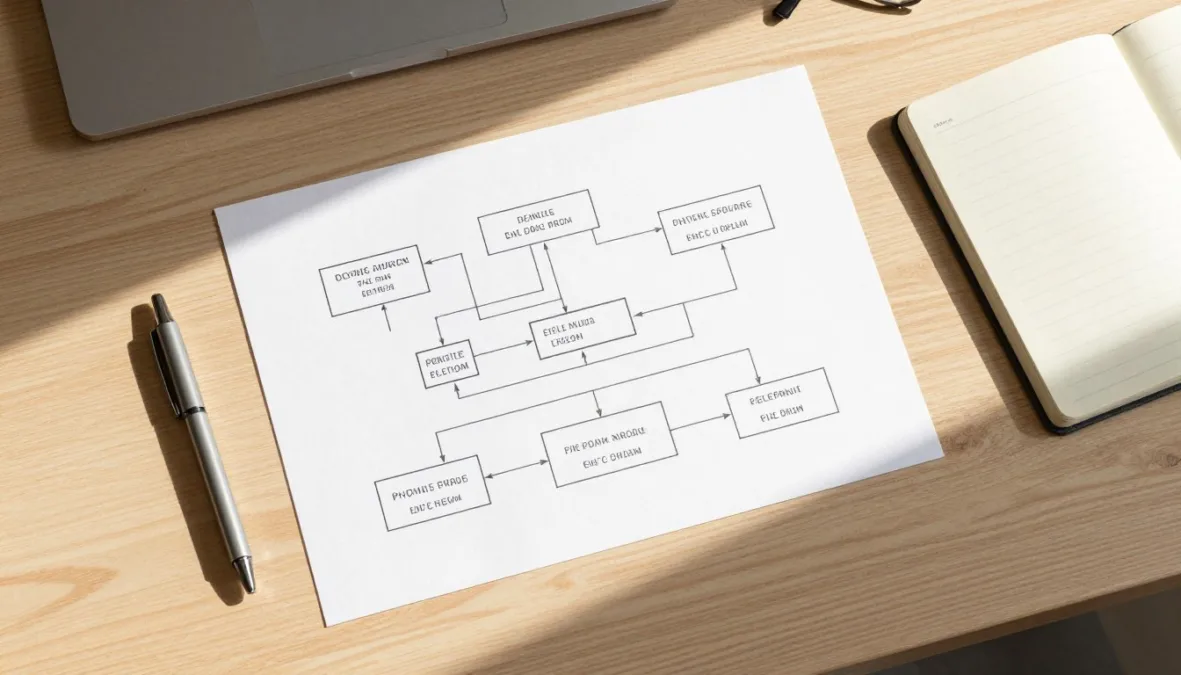
Selecting project management software requires an objective evaluation of organizational maturity, technical fluency, and operational demands. Rather than prioritizing feature volume, teams benefit from identifying the primary constraint hindering execution.
- Assess project complexity to determine whether simple checklists suffice or if projects require task dependencies, critical path schedules, and cross-project baselines.
- Evaluate team size and distribution, confirming that licensing tiers and permission models accommodate external contractors, functional leaders, and executive observers.
- Audit technical requirements and integration readiness with tools such as corporate email, cloud storage, software repositories, and customer relationship management systems like Zoho CRM.
- Verify the primary work style across departments, establishing whether team members thrive within visual kanban boards, structured spreadsheets, or narrative-driven document hubs.
- Review budget ceilings against operational scope, factoring in seat minimums, premium add-on fees, administrative overhead, and training requirements.
Frequently Asked Questions
What defines the primary difference between task management and project management software?
Task management focuses on personal or team to-do lists, assignments, and due dates. Project management software introduces comprehensive planning structures, including task dependencies, critical path tracking, resource allocation, and portfolio-level reporting.
Can creative teams successfully use technical platforms like Jira?
Creative teams can operate within technical tools, but the rigid schemas and technical terminology often create friction. Platforms designed with visual proofing tools, dynamic request forms, and flexible column boards generally provide a more comfortable environment for creative pipelines.
How does workflow automation improve daily project delivery?
Workflow automation executes administrative actions based on specific trigger events, such as reassigning cards when statuses change or notifying leads when milestones miss deadlines. This eliminates manual updates and ensures consistency across team operations.
Why is time tracking an important capability in project platforms?
Time tracking links recorded effort directly to specific deliverables, providing objective data on resource expenditure and project duration. For agencies and service firms, these records form the basis for accurate client invoicing and future estimate planning.
What factors determine whether a flat-rate platform is better than per-user pricing?
Per-user pricing suits smaller teams that require specialized capabilities for a controlled headcount. Flat-rate platforms deliver greater cost efficiency as team sizes expand, eliminating the budget volatility associated with adding individual seat licenses.
Strategic Implementation for Project Success
Adopting project management software succeeds when organizations prioritize workflow alignment over technical complexity. Initiating a controlled pilot with a representative team helps validate real-world usability before company-wide implementation. Selecting an environment that supports natural collaboration will establish lasting operational clarity across upcoming projects.

Priyanka Pandey
Senior Research Editor · Top10Sense
Priyanka specializes in tech, consumer products, and digital trends. She combines hands-on testing, vendor interviews, and database research to create trustworthy “Top 10” rankings. Her work has been referenced by industry blogs and brand report pages.